  |
Knowledge
Base FAQ's & Technical Guides |
Ensure that the scanner is switched on and that the USB cable is firmly connected. Try connecting the cable into a different port on your MAC. Try reinstalling the driver. Try a different cable. If reinstalling doesn’t solve the issue it is a possible Extension conflict, please contact Apple support to resolve.
When presented with this error message please follow the below instructions:
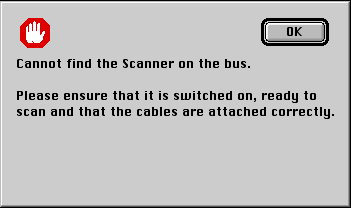
Firstly check that the scanner is switched on and that the USB cable is firmly seated into your MAC and scanner. We can use the Apple system profiler to confirm installation. Click the apple icon and select Apple System Profiler. Select the Devices and Volumes tab and check that the scanner is present. In this case USB1.
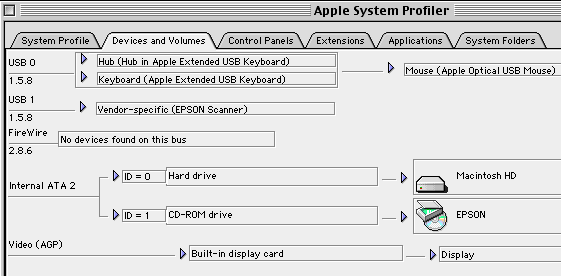
If the scanner is not here try the
USB cable in a different port or a different USB cable. Also ensure that
there is power to the scanner. If the scanner is apparent you need to
reinstall the driver. Please click the link for instructions:
How do I reinstall an EPSON
scanner on MAC OS Classic?
If after reinstallation you still get the error message when trying to scan it is a possible Extension conflict. Please call Apple Support for assistance with this issue.
Article: KB020118 Language: English Product Range: Scanner
