 Copy button on the scanner (which starts the Copy utility in the EPSON Smart Panel window) to make copies.
Scanning by Using the Buttons
You can use the Copy button on the scanner (which starts the Copy utility in the EPSON Smart Panel window) to make copies.
Press the Copy button on the scanner. The following window appears.
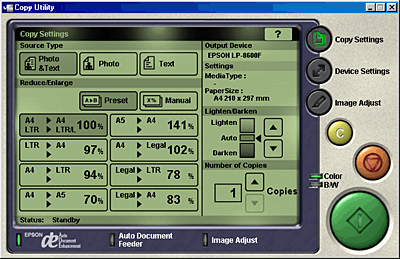
The image is scanned and then printed in high quality.
 | Note: |
 |
|
|
|
 Previous |
 Next |
 Cancel button in the Copy utility window, and then change the setting.
