Using EPSON Instant Photo Print
Scanning and Printing
Follow the steps below to start scanning and printing.
 |
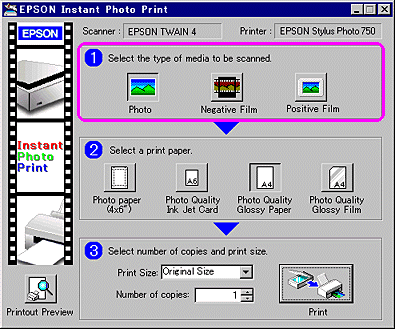
Select the type of media you have placed on the scanner from menu No. 1.
|
 |
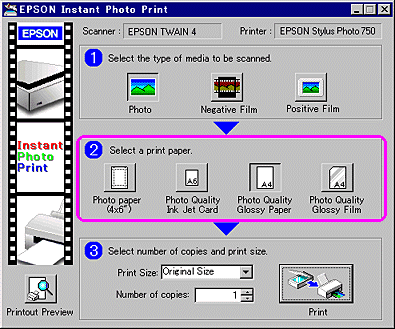
Select the type of paper you have loaded in the printer from menu No. 2.
|
 |
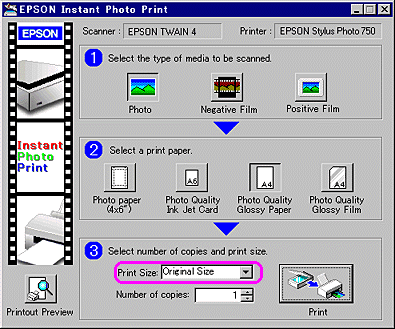
Select the print out size and layout you want from the Print Size list in menu No. 3.
|
 |
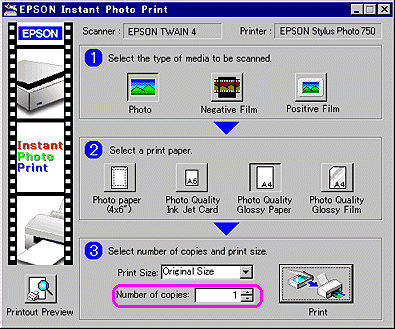
Specify number of copies you want to print in the Number of Copies box.
|
 |
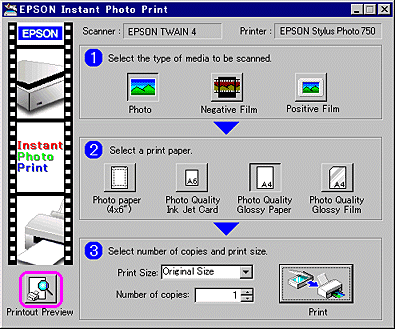
If you want to view a print preview image, click Printout Preview.
|
 |
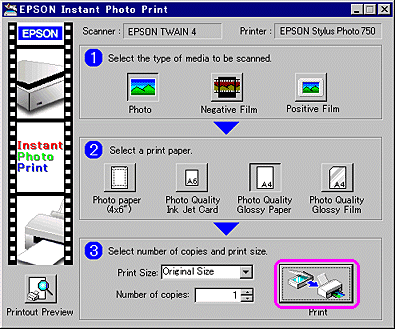
Click Print to start scanning and printing.
|
To close EPSON Instant Photo Print, click the Close button or click the appropriate button on the right side of the title bar.

[Top]

