 Scan button, follow the steps below.
Scanner Software Functions / EPSON Smart Panel
To assign an application in the EPSON Smart Panel window to the Scan button, follow the steps below.
 | Click the EPSON Smart Panel shortcut icon on the desktop to start EPSON Smart Panel. |

 | Select an application from the EPSON Smart Panel list box. |
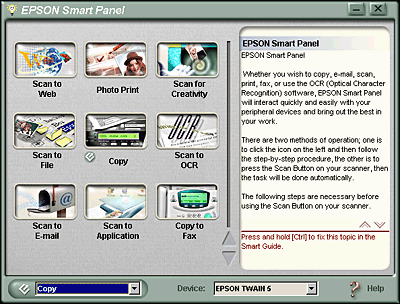
The selected application is assigned to the
 | Note: |
 |
|
 Previous |
 Next |
 Scan button icon added to its application icon.
