  |
Knowledge
Base FAQ's & Technical Guides |
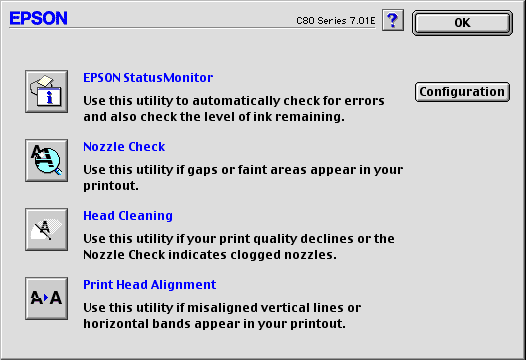
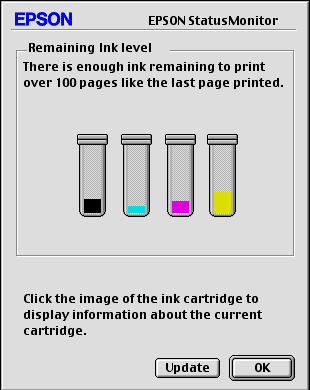
To monitor your ink levels EPSON you will need to access the printer utilities in the driver. To access the utilities provided in the EPSON driver you need to click on the desktop and then click File and then select Print desktop. Now click on the Tools icon (spanner and screwdriver) and select EPSON Status Monitor. This will now display your ink levels.
Start by clicking the link for instructions on how to access the Printer utilities option screen.
How do I use the printer software Utilities on MAC OS Classic?
At this window click the EPSON Status Monitor icon.
This will present you with the required information.
Article: KB020116 Language: English Product Range: Ink Jet
