  |
Knowledge
Base FAQ's & Technical Guides |
Parallel and USB (Universal Serial Bus) are the 2 main interface’s for connecting a Stylus printer to a PC. Parallel connects to an LPT port on your computer. USB connects to a USB Controller on your computer. USB has a higher data transmission rate.
Parallel
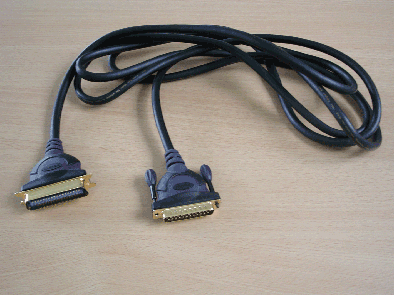
For an EPSON Stylus printer you will require a Bi-directional Parallel Interface (IEEE-1284). EPSON also recommend that the printer be connected directly to the PC, avoiding potential problems that can arise from connecting via another peripheral.
USB
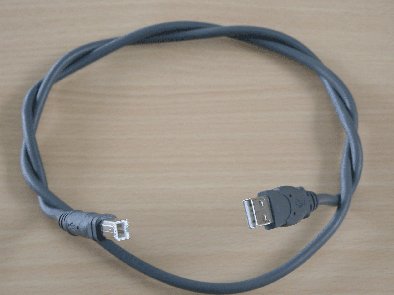
USB has a data transfer rate of 12Mbps making it a more efficient way of transferring data. The square end connects to the printer; therefore the other end connects to your PC.
Article: KB020095 Language: English Product Range: Ink Jet
