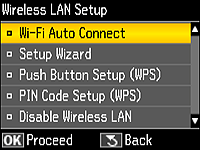
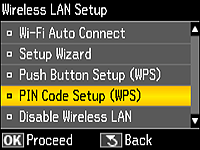
Select
PIN Code Setup (WPS), and then press

.
Click
Next to continue.
If a different screen is displayed, follow the instructions below to display the screen above.
1. Press

to display the Home screen.
2. Use

,

,

,

to select
Setup and then press
.
3. Use
or
to select
Network Settings and then press
.
4. Select
Wireless LAN Setup and then press
.