  |
Knowledge
Base FAQ's & Technical Guides |
Why are scanning times excessive when scanning
transparencies with the Perfection 1250, 1650 or 2450?
The automatic thumbnail preview displays the image at an enlarged size.
To make the file size more manageable it is recommended that you reduce
the scaling to 100%.
Instructions
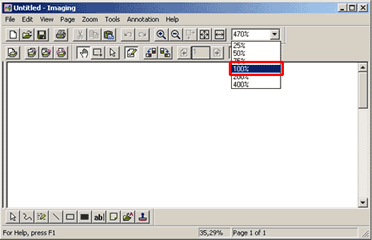
Within your chosen application (we will use Imaging as an example) reduce the preview size to 100%.
Article: KB020027 Language: English Product Range: Scanner

©
EPSON