  |
Knowledge
Base FAQ's & Technical Guides |
How do I uninstall a printer Driver on Windows
98 or ME?
To uninstall a driver you need to remove EPSON Printer Software from the
Add / Remove Programs list in control Panel.
Instructions
Proceed by clicking Start. select Settings and then Control Panel.
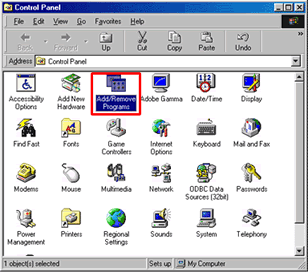
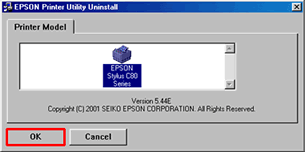
Double click on Add/Remove Programs. Highlight EPSON Printer Software and click Add/Remove.

Click OK.
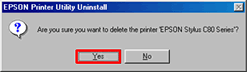
Click Yes.
Click Yes.
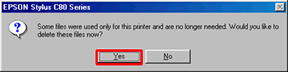
Click OK.
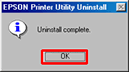
Restart your computer.
Article: KB020012 Language: English Product Range: Ink Jet/Multifunction

©
EPSON