  |
Knowledge
Base FAQ's & Technical Guides |
What is the exact set-up for the DIP-switches of the LQ 570?
Instructions
The printers have two sets of DIP (Dual In-line Package) switches located on the front panel. These switches control certain printer functions and default settings, the details of which are listed below.
Switch
No. Function On Off
SW1-1 Character Set See Character Tables
SW1-2 Character Set See Character Tables
SW1-3 Character Set See Character Tables
SW1-4 Code Table Graphic Italic
SW1-5 Graphics Print Direction Uni-directional Bi-directional
SW1-6 10cpi Draft Font Normal High Speed
SW1-7 Select Buffer Capacity 0KB 8KB
SW1-8 1" Skip-over perforation Valid Invalid
SW2-1 Page Length See Page Length Table
SW2-2 Page Length See Page Length Table
SW2-3 Tear-off Mode Valid Invalid
SW2-4 Auto-line feed Auto LF No LF
Character Table
The following table shows the international character sets that can be
selected with these DIP-switches when DIP-switch SW1-4 is
off.
Character Set SW1-1 SW1-2 SW1-3
USA ON ON ON
France ON ON OFF
Germany ON OFF ON
UK ON OFF OFF
Denmark OFF ON ON
Sweden OFF ON OFF
Italy OFF OFF ON
Spain OFF OFF OFF
The following table shows the graphics
character sets that can be selected with these DIP-switches when DIP-switch
SW1-4 is on.
Graphics Set SW1-1 SW1-2 SW1-3
USA (PC437) ON ON ON
Multi (PC850) ON ON OFF
Portugal (PC860) ON OFF ON
Can-Fra (PC863) ON OFF OFF
Norway (PC865) OFF ON ON
Page Length Table
Page Length SW2-1 SW2-2
11" OFF OFF
12" ON OFF
8.5" OFF ON
11.7" ON ON
Changing a DIP-switches setting:
To change a DIP-Switch setting, follow these steps:
1. Turn off the printer
2. Open the DIP-Switch cover
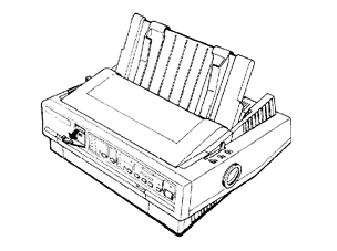
3. Use a pointed instrument, such as
the tip of a pen, to turn a switch on or off.
4. Close the DIP-Switch cover
The new DIP-Switch setting takes effect when you turn on the printer.
Article: KB020081 Language: English Product Range: Dot Matrix
